
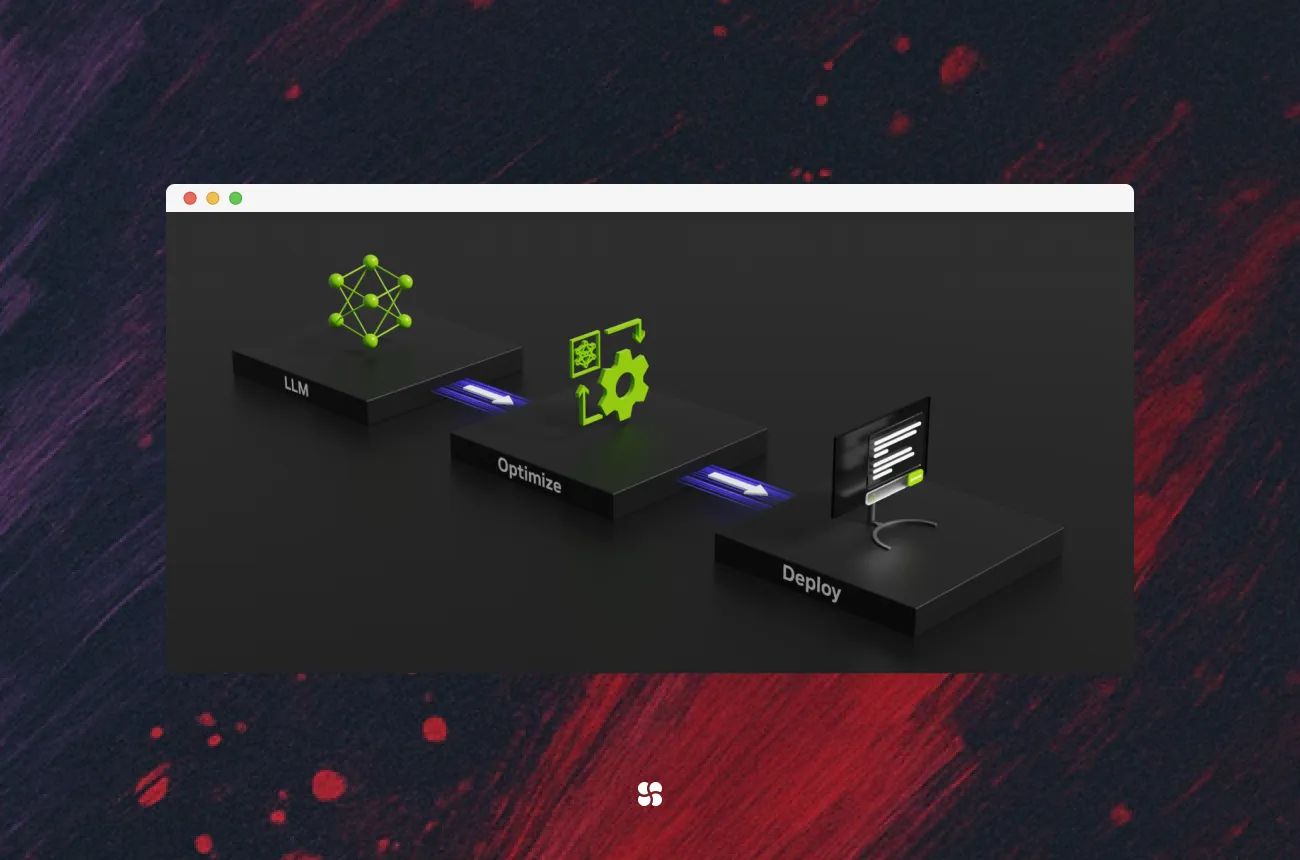
From HF checkpoints to blazing-fast GPU inference with trtllm-build, Triton, and OpenAI-compatible servers—plus real-world tips, pitfalls, and comparisons with vLLM and TGI.
1. Why TensorRT-LLM Is Worth Your Attention
If you’re trying to ship LLMs in production on NVIDIA GPUs, you probably live with at least one of these realities:
- Latency SLOs that don’t care how “big” your model is
- GPU bills that make your finance team slightly nauseous
- A zoo of frameworks: PyTorch, vLLM, TGI, custom CUDA, random Jupyter scripts
TensorRT-LLM is NVIDIA’s answer to “How do we squeeze every last useful token out of these GPUs without building our own inference engine?” It gives you:
- A model compiler that turns HF-style checkpoints into TensorRT engines
- A runtime optimized with tensor parallelism, quantization (FP8, INT8, INT4), in-flight batching, etc.
- Multiple serving options:
- A Python
LLMAPI - An OpenAI-compatible HTTP server (
trtllm-serve) - A Triton backend for large-scale clusters
- A Python
In this guide, we won’t just repeat the README. We’ll walk through:
- A clear mental model of the stack
- A realistic end-to-end workflow (build → serve → scale)
- Hands-on code samples
- Practical choices: quantization, GPU layout, batching
- How TensorRT-LLM compares to vLLM and TGI (and when not to use it)
We’ll speak as a team (“we”) because this is exactly the sort of thing we’d hash out on a shared whiteboard.
2. The Mental Model: Build vs Serve
TensorRT-LLM has two main phases:
- Build phase (offline)
- Take a model checkpoint (Hugging Face, Megatron, etc.)
- Choose precision (FP16, FP8, INT4 AWQ, …) and parallelism
- Compile to one or more TensorRT engines (
.enginefiles) withtrtllm-build
- Serve phase (online)
- Load those engines into GPU memory
- Accept requests via:
- Python
LLMAPI trtllm-serve(OpenAI-compatible HTTP server)- Triton Inference Server backend
- Python
If you remember nothing else, remember this:
You pay the price once at build time so inference can be fast & predictable forever after.
3. When to Use TensorRT-LLM vs vLLM vs TGI
Let’s be honest: you probably already have vLLM or TGI somewhere. So where does TensorRT-LLM actually shine?
| Use case | TensorRT-LLM | vLLM | TGI |
|---|---|---|---|
| Max throughput / latency on NVIDIA GPUs | Excellent (TensorRT + kernel-level optimizations) | Very good (PagedAttention) | Good |
| Multi-GPU tensor parallelism | First-class | Partial | Limited |
| Quantization (FP8 / INT8 / INT4 AWQ) | Built-in & hardware-aware | Partial (typically via external tooling) | Limited / evolving |
| Setup complexity | Higher (build step, drivers, CUDA) | Low | Medium |
| Hardware portability | NVIDIA-only | Any CUDA GPU | Any CUDA GPU |
| Integration with Triton & NVIDIA stack | Native | Via custom wrapper | Custom |
We reach for TensorRT-LLM when:
- We control the hardware and it’s NVIDIA
- We care a lot about latency/throughput per dollar
- The model is stable (we’re not swapping checkpoints every few hours)
If we need something super-portable or experimental, vLLM usually wins on ergonomics.
4. End-to-End: From HF Checkpoint to Live Server
Let’s walk through a concrete workflow you can actually drop into a project.
⚠️ Assumption: you have a recent NVIDIA GPU, driver, CUDA, and are inside a compatible container or env. Always check the compatibility matrix in the official docs for exact CUDA / driver combinations.
4.1 Install TensorRT-LLM
We won’t hard-code a wheel version here because it’s tightly coupled to CUDA, TensorRT, and driver version. Instead, follow the install instructions for your platform:
- GitHub:
https://github.com/NVIDIA/TensorRT-LLM - Docs:
https://nvidia.github.io/TensorRT-LLM/
In many NVIDIA containers, TensorRT-LLM is pre-installed. If not, use the docs to pick the right wheel or container.
4.2 Convert / Prepare Your Model
Let’s say we want meta-llama/Meta-Llama-3-8B-Instruct from Hugging Face.
You typically:
- Download the checkpoint (e.g., via
huggingface-clior directly in a build container). - Make sure the directory layout matches what
trtllm-buildexpects (see “Model Preparation” in the docs).
We’ll assume:
/export/models/llama3-8b-hf/ # HF-style checkpoint4.3 Build a TensorRT Engine with trtllm-build
trtllm-build is the official CLI to turn a checkpoint into TensorRT engines. A realistic single-node, tensor-parallel example:
trtllm-build \
  --checkpoint_dir /export/models/llama3-8b-hf \
  --output_dir /export/models/llama3-8b-trt
  # Optional: add extra flags or a config file as described
  # in the official TensorRT-LLM docs for your version.
What this does:
- Reads HF weights from
checkpoint_dir - Applies chosen precision (
--dtype fp16here; you could use FP8 or INT4 AWQ depending on support) - Partitions the model into 2 tensor-parallel shards (
--tp_size 2) - Emits
.enginefiles and tokenizer intooutput_dir
Practical tips:
- Start with FP16 for stability, then explore FP8/INT4 once you have good baselines.
- Keep
max_input_lenandmax_output_lenrealistic. Setting them absurdly high can bloat memory and hurt perf. - For multi-GPU servers,
tp_sizeshould match the number of GPUs per node you plan to use.
4.4 Local Python Inference with the LLM API
Once you have engines, the simplest way to test them is via the Python LLM class provided by TensorRT-LLM.
from tensorrt_llm import BuildConfig, SamplingParams
from tensorrt_llm._tensorrt_engine import LLM

MODEL_ID = "meta-llama/Meta-Llama-3-8B-Instruct"

config = BuildConfig(
    model=MODEL_ID,
    max_input_len=4096,
    max_output_len=256,
)

llm = LLM(config)

sampling_params = SamplingParams(
    temperature=0.7,
    top_p=0.9,
)

prompt = "Explain TensorRT-LLM to a busy VP of Engineering in 3 bullet points."

# llm.generate returns an iterator over GenerationOutput objects.
outputs = llm.generate(
    [prompt],
    sampling_params=sampling_params,
)

first = next(outputs)
print(first.outputs[0].text)
A few notes:
LLMandSamplingParamsdo exist and are documented in the official LLM API docs.llm.generateis synchronous and blocking. If you wrap it in an async web server, you’ll needasyncio.to_thread(we’ll show that later).
4.5 OpenAI-Compatible HTTP Serving with trtllm-serve
For most teams, you don’t actually want to embed the LLM class into every service. You want a clean HTTP boundary.
TensorRT-LLM ships an OpenAI-compatible server, typically invoked as:
export MODEL_HANDLE="meta-llama/Meta-Llama-3-8B-Instruct"

trtllm-serve "$MODEL_HANDLE" \
  --max_batch_size 64 \
  --port 8000
  # Optional (version-dependent):
  # --trust_remote_code
  # --extra_llm_api_options /path/to/extra-llm-api-config.yml
This starts a server that accepts OpenAI-style /v1/chat/completions requests. A minimal client with openai-compatible SDK:
from openai import OpenAI

client = OpenAI(
    base_url="http://localhost:8000/v1",
    api_key="dummy-key",  # server may not enforce this in dev
)

resp = client.chat.completions.create(
    model="llama3-8b-trt",  # server-side model name
    messages=[
        {"role": "user", "content": "Give me three use cases for TensorRT-LLM."}
    ],
    temperature=0.7,
)

print(resp.choices[0].message.content)
Why this is nice:
- You can reuse your existing OpenAI-based app code
- Frameworks like LangChain / LlamaIndex can talk to it with minimal glue
Always double-check the exact trtllm-serve options in the docs; new flags are added as the project evolves.
4.6 Scaling Out with Triton (High-Level View)
For “we have many GPUs and SLAs” scenarios, Triton Inference Server becomes interesting:
- Triton manages model loading, health checks, batching, and metrics
- TensorRT-LLM provides a dedicated backend and examples of model repositories
A typical Triton setup looks like:
models/
  llama3-8b-trt/
    1/
      model.plan          # or engine files
    config.pbtxt          # Triton model config
  ...
The exact config.pbtxt fields change over releases (and differ for the TensorRT-LLM backend vs pure TensorRT), so rather than paste a potentially stale snippet, we strongly recommend copying from the official Triton + TensorRT-LLM examples in the docs/GitHub repo and adjusting:
Key parameters you’ll be setting:
- Which GPUs to place the model on
- Max batch sizes / sequence lengths
- Instance groups for concurrency
If you’re not comfortable maintaining Triton configs, it might be better to start with trtllm-serve and revisit Triton once you hit scaling limits.
5. Building a Production-ish Service Around TensorRT-LLM
Let’s make this more concrete: imagine you want a simple internal microservice for your org.
We’ll use:
trtllm-buildonce (offline)LLMAPI in a FastAPI app- Sensible async handling (without pretending the blocking call is magically async)
5.1 FastAPI Wrapper Around LLM
# app.py
import asyncio
from fastapi import FastAPI
from pydantic import BaseModel

from tensorrt_llm import BuildConfig, SamplingParams
from tensorrt_llm._tensorrt_engine import LLM

MODEL_ID = "meta-llama/Meta-Llama-3-8B-Instruct"

config = BuildConfig(
    model=MODEL_ID,
    max_input_len=4096,
    max_output_len=256,
)

# Build / load TensorRT-LLM engine(s) at process startup
llm = LLM(config)

app = FastAPI()

class GenerateRequest(BaseModel):
    prompt: str
    temperature: float = 0.7
    top_p: float = 0.9

class GenerateResponse(BaseModel):
    output: str

def _blocking_generate(req: GenerateRequest) -> str:
    sampling = SamplingParams(
        temperature=req.temperature,
        top_p=req.top_p,
    )
    # llm.generate returns an iterator
    outputs = llm.generate(
        [req.prompt],
        sampling_params=sampling,
    )
    first = next(outputs)
    return first.outputs[0].text

@app.post("/generate", response_model=GenerateResponse)
async def generate(req: GenerateRequest):
    # Offload blocking GPU work to a thread so the event loop stays responsive
    text = await asyncio.to_thread(_blocking_generate, req)
    return GenerateResponse(output=text)
Implementation notes:
- We deliberately use
asyncio.to_threadso our FastAPI event loop isn’t blocked byllm.generate. - You can control concurrency with gunicorn/Uvicorn workers + thread pools.
- For multi-tenant, you’d want request-level timeouts and queueing as well.
5.2 A Simple “Multi-Worker” Pattern with Ray (Optional)
If you want to saturate a single large GPU with multiple processes (or run across nodes), Ray can be a simple orchestrator.
This is an illustrative pattern, not a full recipe:
# ray_trtllm_workers.py
import ray

from tensorrt_llm import BuildConfig, SamplingParams
from tensorrt_llm._tensorrt_engine import LLM

MODEL_ID = "meta-llama/Meta-Llama-3-8B-Instruct"

@ray.remote(num_gpus=1)
class TRTLLMWorker:
    def __init__(self):
        config = BuildConfig(
            model=MODEL_ID,
            max_input_len=4096,
            max_output_len=256,
        )
        self._llm = LLM(config)

    def generate(self, prompt: str) -> str:
        params = SamplingParams(temperature=0.7, top_p=0.9)
        outputs = self._llm.generate([prompt], sampling_params=params)
        first = next(outputs)
        return first.outputs[0].text

if __name__ == "__main__":
    ray.init()

    workers = [TRTLLMWorker.remote() for _ in range(2)]

    futures = [
        w.generate.remote(f"Hello from worker {i}")
        for i, _ in enumerate(workers)
    ]
    print(ray.get(futures))
Caveats:
- Real deployments need proper GPU resource accounting (multi-GPU nodes, MIG, etc.).
- The actual GPU resource granularity depends on your cluster config.
6. Practical Implementation Tips (A VP-Safe Summary)
Here’s where we try to save both your developers’ time and your VP’s budget.
6.1 Quantization: How Aggressive Should You Be?
TensorRT-LLM supports different quantization schemes like FP8 and INT4 (e.g., AWQ, GPTQ variants).
Reasonable starting strategy:
- Start with FP16.
- Minimal accuracy risk
- Already gives a sizable speed / memory win over pure FP32 PyTorch.
- Move to FP8 if:
- You’re on recent GPUs (e.g., Hopper) with FP8 Tensor Cores
- Latency / throughput is more important than tiny QoR degradations.
- Experiment with INT4 AWQ for:
- Large models that don’t fit otherwise
- Use internal evals / golden tests to ensure quality is acceptable.
Avoid turning on “whatever quantization is newest” in prod without strong evals and business-level metrics.
6.2 Batching and In-Flight Batching
TensorRT-LLM supports dynamic batching and in-flight batching to pack multiple prompts efficiently.
Actionable advice:
- Always expose “batch-friendly” APIs internally. For example, allow
/generateto accept a list of prompts. - If you use
trtllm-serveor Triton, rely on their built-in batching instead of reinventing that logic in your app. - Monitor token throughput (tokens/sec per GPU), not just request latency. That’s what your bill cares about.
6.3 GPU Topology & Parallelism
Some quick, battle-tested heuristics:
- Single big GPU? No tensor parallel (
tp_size=1), maybe FP8/INT4 for larger models. - Multi-GPU single node (e.g., 4x A100)? Tensor parallel across GPUs (
tp_size=4) is typical; pipeline parallel only for very large models. - Multi-node clusters? Consider:
- Triton or Ray-style orchestration
- Replicated engines across nodes with a front-end load-balancer
- Keep cross-node traffic to a minimum; TP across nodes is possible but trickier.
These decisions affect your trtllm-build config directly.
6.4 Safety & Security Considerations
Nothing here is exotic, but a few easy wins:
- Don’t bake secrets (Hugging Face tokens, DB credentials) into your engine images. Use runtime env vars / secret stores.
- Restrict OpenAI-compatible endpoints (
trtllm-serve) behind auth; it’s very easy to accidentally expose a “free GPU for the internet” otherwise. - For internal multi-tenant clusters, consider hard limits:
- Max tokens per request
- Max concurrent requests per client
- Rate limiting + logging, so you can attribute GPU spend.
7. How TensorRT-LLM Actually Compares in the Wild
Let’s put all of this into a more qualitative comparison based on what we’ve seen and what NVIDIA documents.
7.1 vLLM vs TensorRT-LLM
vLLM strengths:
- Simple
pip install(no separate build phase) - Excellent throughput with PagedAttention; great for experimentation and small-to-medium scale serving
- Works across various CUDA GPUs without tight TensorRT coupling
TensorRT-LLM strengths:
- Deep integration with TensorRT and NVIDIA kernels ⇒ higher perf on supported GPUs, especially for larger models and long sequences
- Rich quantization and parallelism support
- Triton backend,
trtllm-serve, and ecosystem integration
We’d summarize it as:
vLLM is ergonomics-first; TensorRT-LLM is performance-first (on NVIDIA hardware).
A lot of orgs end up with both: vLLM for R&D / feature prototyping, TensorRT-LLM for “this powers a revenue-critical product” workloads.
7.2 Hugging Face TGI vs TensorRT-LLM
TGI (Text Generation Inference):
- Great out-of-the-box server for HF models
- Nice integrations with Hugging Face Hub
- Good default performance, but generally less tuned to specific GPU architectures than TensorRT-LLM
TensorRT-LLM:
- More knobs, more complexity, more raw headroom
- Better fit where infra is already NVIDIA-centric and you want Triton, MIG, DCGM metrics, etc.
If your org is deep in Hugging Face land already and just wants something that “mostly works,” TGI can be a very pragmatic choice. If you’re squeezing infra at scale, TensorRT-LLM looks more attractive.
8. Implementation Checklist (Copy/Paste for Your Next Tech Spec)
To make this immediately usable, here’s the rough sequence we’d recommend for a new deployment:
- Pick a stable model
- E.g.,
meta-llama/Meta-Llama-3-8B-Instruct - Freeze the checkpoint version for at least one deployment cycle.
- E.g.,
- Build baseline engines
trtllm-buildwith FP16,tp_sizematching your GPUs- Conservative
max_input_len/max_output_len
- Smoke test with Python
LLMAPI- Validate outputs vs HF reference on a small eval set
- Check latency / throughput for a few batch sizes
- Decide serving path
- For a single app / team → FastAPI +
LLMAPI ortrtllm-serve - For org-wide serving → Triton backend with autoscaling
- For a single app / team → FastAPI +
- Add observability
- Token throughput, latency percentiles, GPU utilization, OOM events
- Log prompts & responses in a privacy-aware way for regressions
- Iterate on perf
- Try FP8 / INT4 AWQ with automatic regression checks
- Tune batch sizes and scheduler configs
- Adjust TP / replica counts based on real traffic
- Compare vs a baseline (vLLM / TGI)
- Run the same eval suite
- Decide if the TensorRT-LLM complexity is justified for your use case.
9. Closing Thoughts
TensorRT-LLM is not the “hello world” of LLM serving. It asks more of your infra team up front:
- You need to think about build pipelines, not just
pip install. - You need to pick quantization and parallelism strategies consciously.
- You probably need at least one person who enjoys reading GPU docs.
But the payoff—when your workloads and hardware justify it—is very real: tighter latency SLOs, better GPU utilization, cleaner integration into the NVIDIA stack, and a solid path to long-term cost control.
If we were sitting in a room with your team, our short version would be:
Start simple, measure honestly, and only turn on the “crazy GPU wizardry” once the basics are solid.
And if your engineers come back saying “we hit the limits of vLLM,” this guide should give them a head-start on what comes next with TensorRT-LLM.
Tega AdeyemiDecember 1, 2025.