
FastAPI-Fullstack CLI Generator: The Guide to Shipping AI Apps Fast.
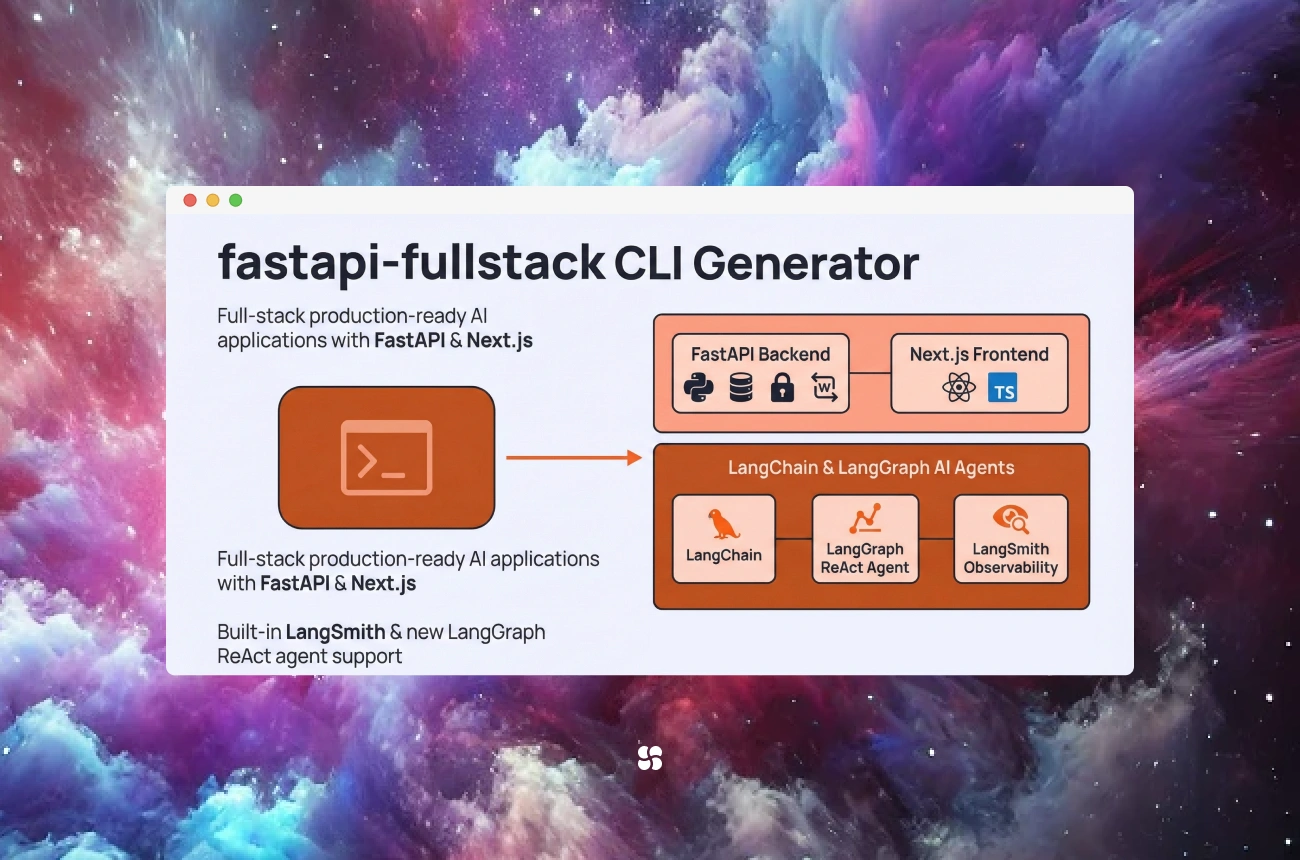
Preview text: Generate a production-shaped FastAPI + Next.js AI app in minutes—pick LangChain or PydanticAI, add streaming + tracing + background jobs correctly, and skip the “two weeks of plumbing” tax.
The problem:
Dev: “It’s just a FastAPI backend and a Next.js frontend.”
Also Dev, 48 hours later: “Why are CORS, streaming, auth, env vars, and deployment all having a group meeting without us?”
When we build AI products, scaffolding isn’t the hard part… until it is. The hard part is getting the boring-but-critical pieces right fast:
- streaming that works behind proxies,
- a clean API contract,
- observability/tracing,
- background jobs,
- a sane folder layout,
- and “we can onboard a new engineer in 30 minutes.”
That’s what the fastapi-fullstack CLI generator is for: a CLI that scaffolds a fullstack FastAPI + Next.js project, with AI-ready templates that can be configured to use LangChain or PydanticAI.
This post is a copy-paste guide: practical, runnable snippets + the choices that matter.
Table of contents
- What the fastapi-fullstack CLI generator is
- What it generates (and what you should standardize immediately)
- Quickstart: generate a project in minutes
- Two AI tracks: LangChain vs PydanticAI (how to choose)
- Copy-paste implementations (correct, production-shaped)
- A. Streaming chat via WebSockets (recommended)
- B. Token streaming via SSE (when WebSockets are overkill)
- C. RAG endpoint (JSON body, citations, confidence)
- D. Background jobs (create job → poll status)
- E. Tracing/observability hooks (so you can debug reality)
- Real implementation tips that save engineers days
- Comparisons: other templates/generators/frameworks
- Key takeaways
What the fastapi-fullstack CLI generator is
The fastapi-fullstack CLI is a project generator that stamps out a working full-stack codebase. The big win is not “it creates files.” The win is:
- consistent structure across teams,
- less bikeshedding,
- faster time-to-first-feature,
- and fewer “how did we do auth in this repo again?” moments.
You typically get:
- a FastAPI backend,
- a Next.js frontend,
- a deployment-ready layout,
- and AI-focused starter patterns (streaming, agents, etc.).
What it generates (and what we should standardize immediately)
Scaffolded projects are only “fast” if the second engineer can understand them instantly.
After generation, we recommend standardizing these on day 0:
A. An “AI API contract”
Return a consistent shape from all AI endpoints:
{
  "answer": "...",
  "citations": ["doc:123", "doc:policy:7"],
  "confidence": 0.82,
  "trace_id": "..."
}
B. Env var conventions
Minimum:
API_BASE_URL(frontend knows where FastAPI is)- model provider keys
ENV=local|staging|prod
C. Observability baseline
Even basic tracing prevents:
“It worked yesterday. We changed a prompt. Now it’s haunted.”
Quickstart: generate a project in minutes
Typical workflow (the exact commands depend on the generator’s UX, but this is the shape):
Note: The CLI requires Python 3.11+. Use python --version to confirm before you start.
Recommended CLI installs (avoid polluting your global pip environment):
# recommended
uv tool install fastapi-fullstack

# or
pipx install fastapi-fullstack
Then generate:
# interactive wizard (recommended)
fastapi-fullstack new
Or if you prefer explicit project creation (shape depends on the template options exposed by your version of the CLI):
# example: explicit creation (align flags with `fastapi-fullstack --help`)
fastapi-fullstack create my-ai-app
cd my-ai-app
Then run backend + frontend dev servers per the generated README.
One crucial rule: Decide early whether FastAPI and Next.js are same-origin in dev/prod. It changes how you call endpoints.
Two AI tracks: LangChain vs PydanticAI (how to choose)
The generator’s biggest practical feature is letting teams choose their AI framework.
Choose PydanticAI when:
- You want typed, validated, structured outputs everywhere.
- Your team already loves FastAPI + Pydantic and wants “the same vibe” for agents.
- You want tools + schemas to feel like part of the app, not a separate universe.
Choose LangChain when:
- You want broad integrations (retrievers, vector DBs, tools, loaders).
- You plan to build more agentic workflows and orchestration patterns.
- You want mature “LLM app plumbing” patterns.
Our quick rule:
- API-first + structured outputs → PydanticAI
- Workflow-heavy + integrations → LangChain
Copy-paste implementations (correct, production-shaped)
Everything below is written to be pasteable with minimal edits.
Important: match the file paths (app/api/...) to your generated scaffold. Some templates use backend/app/... or versioned routes like /api/v1/....
A) Streaming chat via WebSockets (recommended)
FastAPI: WebSocket endpoint
Create app/api/ws_chat.py:
from fastapi import APIRouter, WebSocket, WebSocketDisconnect

router = APIRouter()

@router.websocket("/ws/chat")
async def chat_ws(websocket: WebSocket):
    await websocket.accept()

    try:
        while True:
            user_text = await websocket.receive_text()

            # Replace this loop with model streaming (LangChain/PydanticAI streaming)
            for token in user_text.split():
                await websocket.send_text(token)

            await websocket.send_text("[[DONE]]")

    except WebSocketDisconnect:
        # Client disconnected—clean up per-connection state if needed
        return
Wire it into app/main.py:
from fastapi import FastAPI
from app.api.ws_chat import router as ws_router

app = FastAPI()
app.include_router(ws_router)
Next.js client: connect and stream
Create app/chat/page.tsx (Next.js App Router):
"use client";
import { useEffect, useMemo, useState } from "react";

function getWsUrl() {
  // Prefer env var (works in prod), fallback to localhost for dev.
  const envUrl = process.env.NEXT_PUBLIC_WS_URL;
  if (envUrl) return envUrl;

  // Derive from current origin (handles http->ws, https->wss).
  const isHttps = typeof window !== "undefined" && window.location.protocol === "https:";
  const scheme = isHttps ? "wss" : "ws";
  return `${scheme}://localhost:8000/ws/chat`;
}

export default function ChatPage() {
  const [tokens, setTokens] = useState<string[]>([]);
  const ws = useMemo(() => new WebSocket(getWsUrl()), []);

  useEffect(() => {
    ws.onmessage = (evt) => {
      if (evt.data === "[[DONE]]") return;
      setTokens((prev) => [...prev, evt.data]);
    };
    return () => ws.close();
  }, [ws]);

  const safeSend = (msg: string) => {
    if (ws.readyState === WebSocket.OPEN) ws.send(msg);
    else ws.addEventListener("open", () => ws.send(msg), { once: true });
  };

  return (
    <div style={{ padding: 24 }}>
      <button
        onClick={() => {
          setTokens([]);
          safeSend("hello from the browser this will stream token by token");
        }}
      >
        Send
      </button>

      <pre style={{ marginTop: 16 }}>{tokens.join(" ")}</pre>
    </div>
  );
}
Production note: Put FastAPI behind a reverse proxy that supports WebSockets, and ensure your proxy forwards upgrade headers. Also: don’t ship unauthenticated WS endpoints—add auth and rate limits.
B) Token streaming via SSE (when WebSockets are overkill)
SSE is great when the server streams updates and the client doesn’t need to send messages mid-stream.
FastAPI SSE endpoint (with correct headers)
Create app/api/sse_chat.py:
import asyncio
import json
from fastapi import APIRouter
from fastapi.responses import StreamingResponse

router = APIRouter()

@router.get("/api/chat/stream")
async def chat_stream():
    async def gen():
        for chunk in ["Hello", " from", " SSE", " streaming", "!"]:
            yield f"data: {json.dumps({'token': chunk})}\n\n"
            await asyncio.sleep(0.15)
        yield "event: done\ndata: {}\n\n"

    headers = {
        "Cache-Control": "no-cache",
        "Connection": "keep-alive",
        # helpful if behind nginx:
        "X-Accel-Buffering": "no",
    }
    return StreamingResponse(gen(), media_type="text/event-stream", headers=headers)
Wire it:
from fastapi import FastAPI
from app.api.sse_chat import router as sse_router

app = FastAPI()
app.include_router(sse_router)
CORS note: If your frontend is on a different origin/port, enable CORS on FastAPI for EventSource requests.
Next.js client (use EventSource — simplest + robust)
"use client";

export function streamChat(onToken: (t: string) => void, onDone?: () => void) {
  const base = process.env.NEXT_PUBLIC_API_BASE_URL ?? "http://localhost:8000";
  const es = new EventSource(`${base}/api/chat/stream`);

  es.onmessage = (evt) => {
    const { token } = JSON.parse(evt.data);
    onToken(token);
  };

  es.addEventListener("done", () => {
    es.close();
    onDone?.();
  });

  es.onerror = () => {
    es.close();
  };

  return () => es.close();
}
C) RAG endpoint (JSON body + citations + confidence)
This is the single most common FastAPI mistake in AI demos: accidentally treating JSON as query params.
FastAPI: correct request body model
Create app/api/rag.py:
from fastapi import APIRouter
from pydantic import BaseModel

router = APIRouter()

class RagRequest(BaseModel):
    query: str

class RagResponse(BaseModel):
    answer: str
    citations: list[str]
    confidence: float

@router.post("/api/rag", response_model=RagResponse)
async def rag(req: RagRequest):
    # 1) Retrieve docs from your vector store (placeholder)
    docs = [
        {"id": "doc:handbook-12", "text": "Relevant excerpt..."},
        {"id": "doc:policy-7", "text": "Another excerpt..."},
    ]

    # 2) Call your model/chain/agent here and ground it with docs
    # (Placeholder response)
    answer = f"Here’s a grounded response to: {req.query}"

    return RagResponse(
        answer=answer,
        citations=[d["id"] for d in docs],
        confidence=0.78,
    )
Wire it:
from fastapi import FastAPI
from app.api.rag import router as rag_router

app = FastAPI()
app.include_router(rag_router)
Real-world upgrade we recommend immediately:
- If retrieval confidence is low → return “I don’t know” + ask a clarifying question.
- Log those queries. That’s your future eval dataset.
D) Background jobs (create job → poll status) that actually runs
FastAPI: Background - Tasks minimal version
Create app/api/jobs.py:
import time
import uuid
from fastapi import APIRouter, BackgroundTasks
from pydantic import BaseModel

router = APIRouter()
JOBS: dict[str, dict] = {}

class CreateJobResponse(BaseModel):
    job_id: str

def run_report(job_id: str):
    JOBS[job_id]["status"] = "running"
    time.sleep(2)  # simulate work
    JOBS[job_id]["result"] = {"report": "hello world"}
    JOBS[job_id]["status"] = "done"

@router.post("/api/report", response_model=CreateJobResponse)
async def create_report(bg: BackgroundTasks):
    job_id = str(uuid.uuid4())
    JOBS[job_id] = {"status": "queued", "result": None}
    bg.add_task(run_report, job_id)
    return CreateJobResponse(job_id=job_id)

@router.get("/api/report/{job_id}")
async def get_report(job_id: str):
    return JOBS.get(job_id, {"status": "not_found"})
Wire it:
from fastapi import FastAPI
from app.api.jobs import router as jobs_router

app = FastAPI()
app.include_router(jobs_router)
Production note (important):
JOBSin memory is demo-only. In prod, use Redis/Postgres + a worker (Celery/RQ/Taskiq).- Multi-worker deployments will break in-memory polling (the GET may hit a different worker).
E) Tracing/observability hooks (the “debug reality” layer)
At minimum, attach a trace ID to responses and log model calls. If you’re using LangChain/LangSmith, add middleware. If you’re using OpenTelemetry, hook that in. (Your scaffold may already include a pattern—align with it.)
Here’s a lightweight “trace id” pattern you can paste today:
import uuid
from fastapi import FastAPI, Request
from fastapi.responses import Response

app = FastAPI()

@app.middleware("http")
async def add_trace_id(request: Request, call_next):
    trace_id = request.headers.get("x-trace-id") or str(uuid.uuid4())
    response: Response = await call_next(request)
    response.headers["x-trace-id"] = trace_id
    return response
Then your frontend can log it and your VP can ask, “Which run produced this answer?” and you can answer without blinking.
Real implementation tips that save engineers days
Tip 1: Frontend ↔ backend routing
If Next.js and FastAPI are on different ports, don’t hardcode URLs everywhere.
Use:
NEXT_PUBLIC_API_BASE_URL=http://localhost:8000
And call:
const base = process.env.NEXT_PUBLIC_API_BASE_URL!;
await fetch(`${base}/api/rag`, { ... });
Tip 2: Streaming + proxies
If streaming breaks in staging but works locally, it’s usually buffering.
- SSE: disable buffering (
X-Accel-Buffering: no), set no-cache headers. - WebSockets: ensure reverse proxy supports upgrades.
Tip 3: Pick an eval set early
Even 20–50 examples help you prevent regressions when:
- prompts change
- retrieval changes
- tool schemas evolve
Tip 4: Don’t ship RAG without “I don’t know”
Add a retrieval-confidence threshold. This single feature saves you from confident nonsense.
Comparisons with other similar platforms/frameworks
vs FastAPI’s official full-stack template
- Official template tends to be the safer “enterprise starter” choice if you want backend fundamentals + ops defaults first.
- fastapi-fullstack + AI template tends to be better when you want AI-first patterns (streaming chat, integrations) and you’re comfortable aligning the generated project with your org’s conventions.
vs Django / Rails
- Django/Rails win on batteries-included monolith conventions.
- FastAPI + Next.js wins when you want:
- a Python API that’s a great fit for AI systems,
- modern frontend UX,
- and clean separation for scaling.
vs NestJS + Next.js
- NestJS is great if your org is TypeScript end-to-end.
- FastAPI is excellent when the AI/ML core is Python-native and you want to keep it that way.
vs “roll your own”
Rolling your own is fine—until you do it five times in five repos and none of them agree on logging, auth, or response shapes.
Key takeaways
- fastapi-fullstack CLI generator is a fast on-ramp to a full-stack FastAPI + Next.js AI app, especially when paired with AI-focused templates.
- Choosing LangChain vs PydanticAI is really choosing your default ergonomics:
- integration/workflow ecosystem vs typed/validated agent building.
- The difference between “demo” and “product” is boring:
- routing discipline,
- streaming correctness,
- tracing,
- background jobs,
- and a consistent API contract.
If we get those right up front, the team spends time building features not rebuilding foundations.
— Cohorte Team
January 5, 2026.
