
Articles & Playbooks
AI vs. AI Agents Explained Without the Tech Headache.
The simple ladder: LLMs → Workflows → Agents (plus what “RAG” and “ReAct” really mean in real life).
We were in a meeting when someone said:
“We need something more agentic.”
Everyone nodded.
Not because we understood.
Because in corporate culture, nodding is a survival skill.
(It’s right up there with “Let’s circle back” and pretending you’ve opened the attachment.)
On the way out, one of us whispered:
“Okay… what is an AI agent, actually?”
And that’s the problem. Most explanations are either:
- too technical (it turns into a lecture about frameworks and architectures), or
- too vague (“it’s like an assistant that does things!” — cool, what things? how?)
So this post is for normal people who use AI tools regularly, have zero technical background, and want just enough clarity to see how agents will affect work and life.
We’ll follow a simple path:
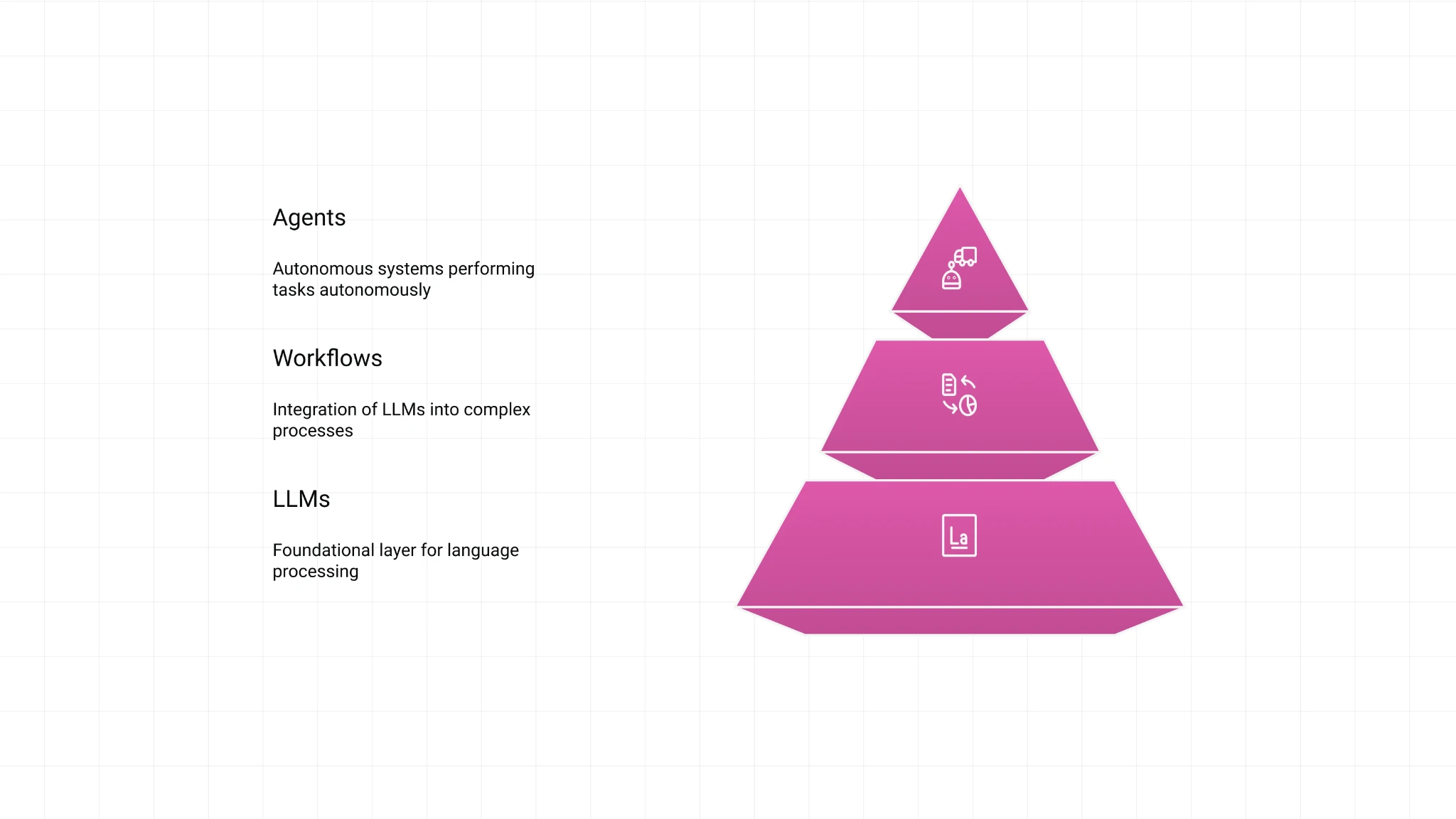
Level 1: LLMs (chatbots) → Level 2: Workflows → Level 3: AI agents
And yes, we’ll demystify the scary words people throw around like they’re seasoning:
- RAG
- ReAct
- “agentic workflows”
- “control logic”
They’re simpler than they sound. Promise.
The 10-Second Mental Model
If you only remember one thing, remember this:
- Chatbots (LLMs) respond to prompts.
- Workflows follow a path we predefine.
- Agents get a goal and decide how to achieve it: reason → act → observe → iterate.
Or in plain English:
A chatbot answers questions.
A workflow follows recipes.
An agent behaves like a worker.
Now let’s make it feel obvious.
Level 1: LLMs (Chatbots) — Smart, Helpful, and Totally Clueless About Your Life
Large Language Models (LLMs) power tools like ChatGPT, Gemini, and Claude.
Here’s the simplest picture:
We type something → the model generates a response.
Example:
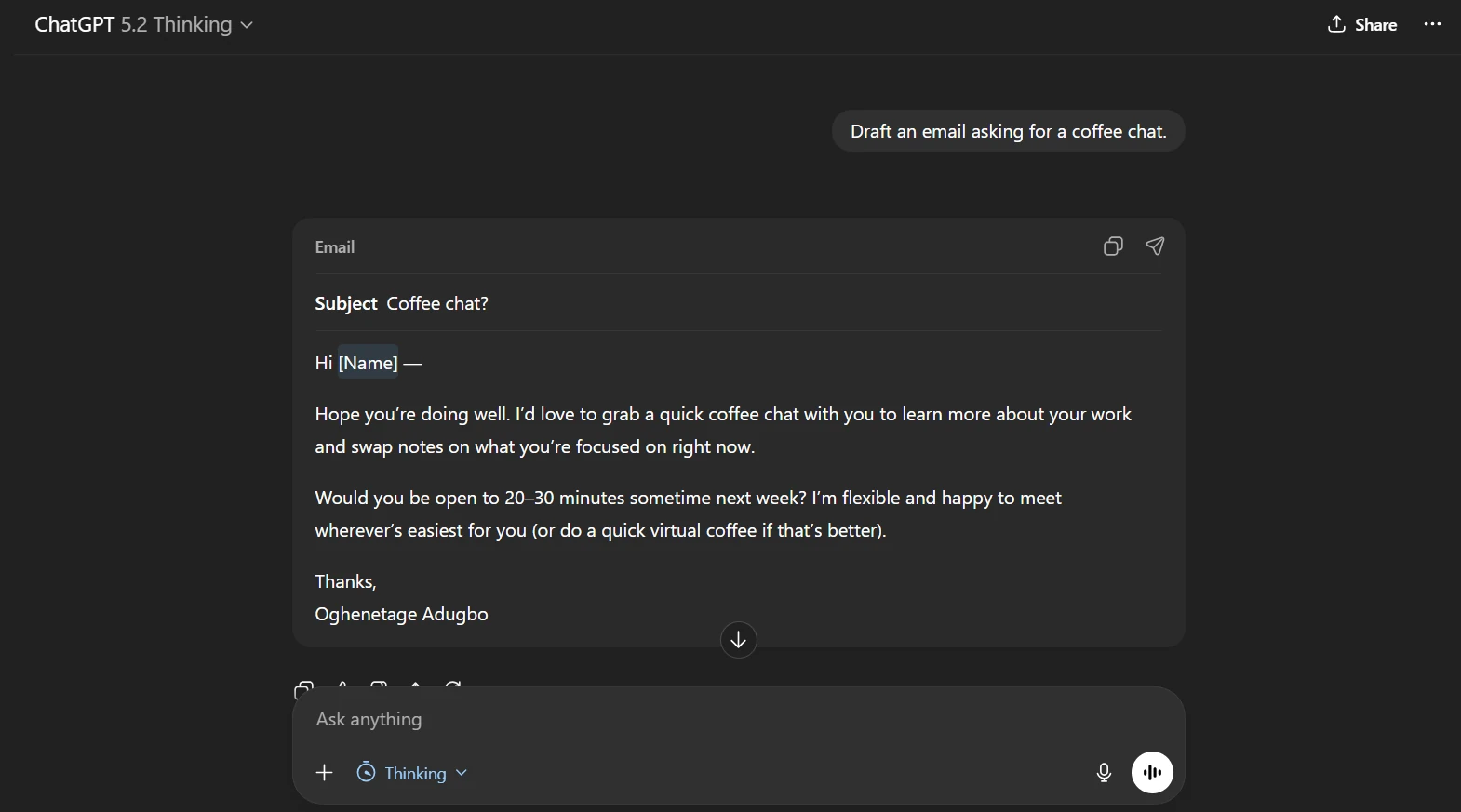
“Draft an email asking for a coffee chat.”
Output:
A beautiful email so polite it reads like we’re applying to join a royal family.
Two traits that define LLMs and explain why “agents” exist
1) LLMs don’t know your private info
If we ask:
“When is our next coffee chat?”
The model doesn’t know. It can’t see:
- our calendar
- our inbox
- internal company docs
- proprietary data
- anything behind a login
LLMs are trained on lots of public-ish data, not your data.
2) LLMs are passive
They don’t wake up and do things.
They wait. We prompt. They respond.
So if we want the AI to:
- check our calendar,
- look up the weather,
- schedule something,
- send a message,
- update a spreadsheet…
…we need something beyond Level 1.
That’s where workflows start.
Level 2: AI Workflows — “Do These Steps Every Time”
A workflow is when we tell the system:
“When X happens, do steps A → B → C.”
Let’s extend the coffee chat example.
We instruct the LLM:
“Every time I ask about a personal event, fetch the answer from my Google Calendar before responding.”
Now we ask:
“When is my coffee chat with Elon Husky?”
And we get a correct answer, because the workflow:
- checks Google Calendar
- retrieves event time
- responds
Nice.
But then we ask:
“What will the weather be like that day?”
And it fails again.
Why? Because we only taught it one path:
“For event questions → check calendar.”
The calendar doesn’t contain weather. So the workflow is stuck.
The defining trait of workflows
Workflows follow predefined paths (control logic).
They don’t choose new paths on the fly.
If we want weather too, we add steps:
- call a weather API
- then respond
- maybe even use a text-to-audio tool to speak it back
And yes, then it can say:
“Sunny, with a chance of Elon being a good boy.”
Still a workflow.
Even if we add 500 steps.
Because the human still designed the path.
Quick Translation: What Is RAG?
People love saying RAG like it’s a secret code.
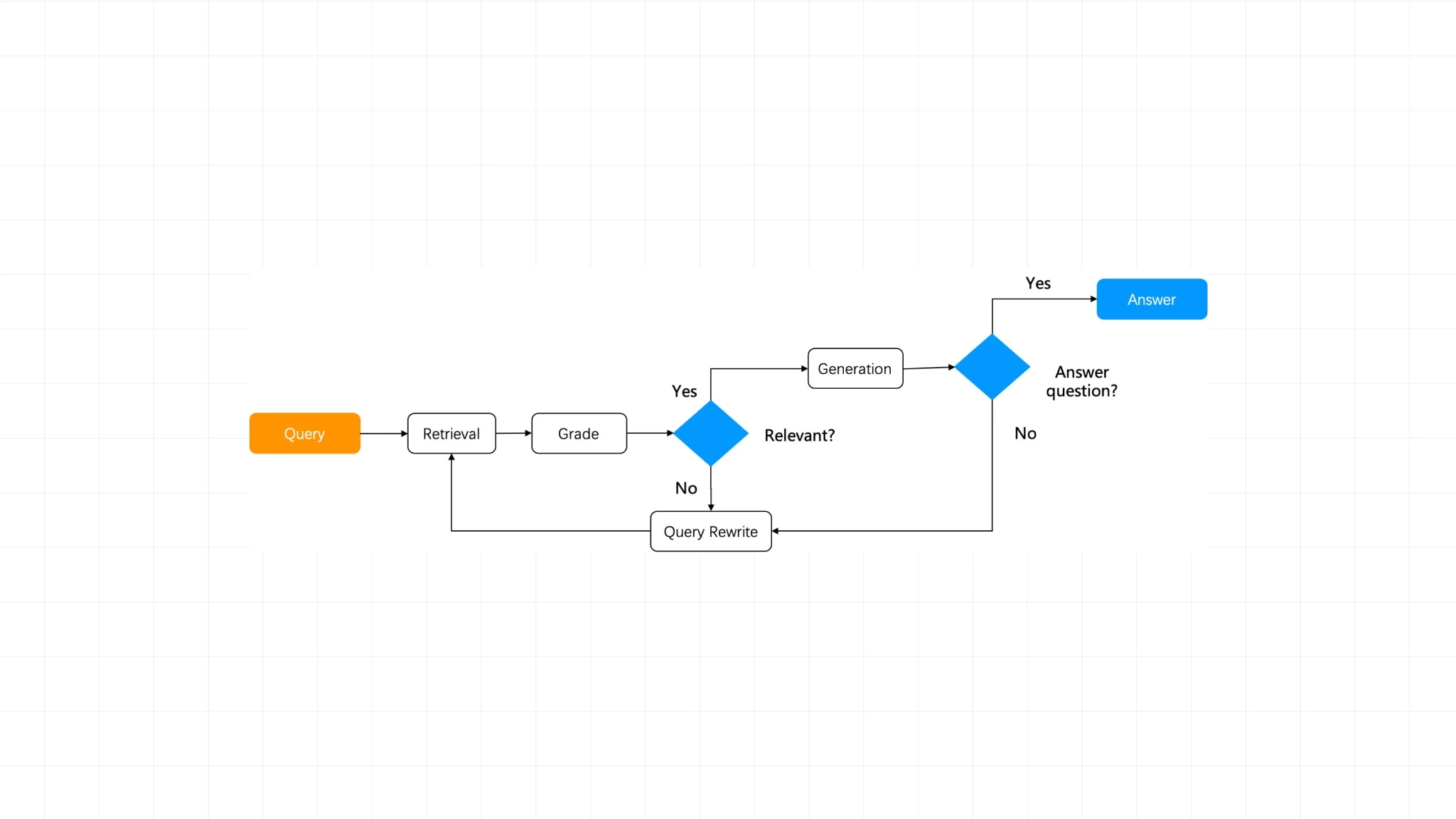
RAG = Retrieval-Augmented Generation
Here’s the human translation:
RAG means “look things up before you answer.”
That’s it.
Examples of RAG:
- checking our calendar before answering
- searching internal docs before answering
- querying a database before answering
- doing a web search before answering
So yes:
RAG is basically a workflow pattern.
Prompt → retrieve info → generate answer.
A Real Workflow Example: The “Daily Content Machine”
Let’s use a workflow you’ll actually see in the wild.
Goal: create daily social posts from news.
A simple make.com workflow could be:
- Google Sheets: store links to news articles
- Perplexity: summarize the articles (real-time, web-aware)
- Claude: draft LinkedIn + Instagram posts using our prompt
- Schedule: run every day at 8am
This is a workflow because it follows a fixed path we set.
Now here’s the important limitation:
If the LinkedIn post is too boring (a tragedy), we must:
- manually rewrite the Claude prompt
- rerun the workflow
- repeat until it’s good
That “try again” loop is being done by us.
Which brings us to Level 3.
Level 3: AI Agents — The Human Stops Being the Decision-Maker
Here’s the most important sentence in this whole article:
A workflow becomes an agent when the human decision-maker is replaced by an LLM.
In the workflow example, we (humans) do two big jobs:
1) Reasoning (thinking)
We decide the approach:
- “First collect links, then summarize, then write posts.”
2) Tool choice (acting plan)
We choose the tools:
- “Use Google Sheets. Use Perplexity. Use Claude.”
To become an agent, the system must do those decisions itself.
An agent receives a goal like:
“Create daily social posts from today’s business news.”
Then it decides:
- where to get sources
- how many sources are enough
- which tools to use
- what quality looks like
- whether to iterate
The three traits of agents (in plain language)
1) Agents reason
They ask:
“What’s the best way to achieve this goal?”
2) Agents act (use tools)
They do things:
- browse
- search
- call APIs
- write files
- update spreadsheets
- send messages
- interact with a browser UI
3) Agents iterate
They check their work and improve it.
Instead of us doing:
“Make it funnier.”
“Less cringe.”
“More punchy.”
“Stop sounding like a LinkedIn motivational poster.”
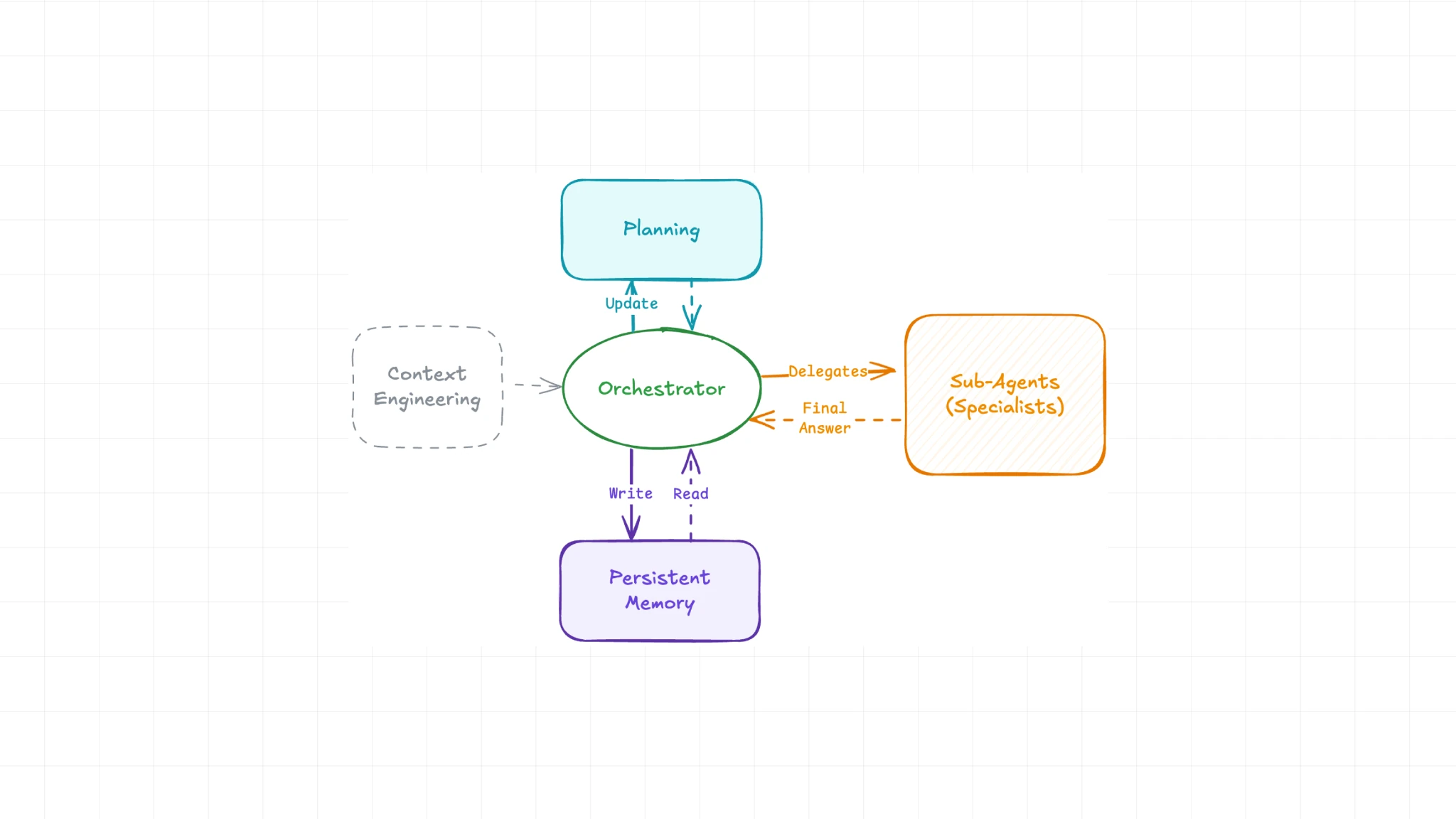
An agent can run a loop:
- draft V1
- critique it against best practices
- revise
- repeat until criteria are met
That’s the difference.
Workflows execute a script.
Agents pursue an outcome.
Quick Translation: What Is ReAct?
The most common agent structure is called ReAct.
ReAct = Reason + Act.
That’s it.
It sounds dramatic because it’s capitalized.
But it’s just the two things agents do:
- reason about what to do next
- act using tools
Once we see that, “ReAct framework” stops sounding like a cult.
A Real Agent Example: “Find the Skier in This Video”
Andrew (a prominent AI figure) demoed an AI agent that searches video footage.
We type:
“skier”
Behind the scenes, the agent:
- Reasons: “What does a skier look like?”
- person on skis, snow, movement, slopes, etc.
- Acts: scans footage clips and indexes candidates
- Returns the relevant clip
This matters because a human used to do that:
- watch footage
- tag it manually (“skier,” “snow,” “mountain”)
- organize it
The agent replaces that labor.
It doesn’t just answer questions about the footage.
It works on the footage.
And that’s the point: most of us don’t care what happens behind the curtain.
We care that the tool “just works.”
The Cleanest Summary We Can Give You
Level 1 — LLMs
Input → Output
We prompt. It responds.
Level 2 — Workflows
Input → predefined path → Output
We design the steps. The system runs them.
(RAG usually lives here: “retrieve before answering.”)
Level 3 — Agents
Goal → LLM decides steps → uses tools → checks results → iterates → final output
The LLM becomes the decision-maker.
Why This Matters
Here’s the real-world implication:
- Chatbots help us think and write faster.
- Workflows help us automate repetitive tasks.
- Agents help us delegate outcomes.
Or said more bluntly:
Workflows automate tasks. Agents automate decisions.
That’s why everyone is saying “agentic” now.
Because the moment AI can decide + act + iterate, it stops being “a tool.”
It becomes “a worker we manage.”
What You Should Do Next
If we want to actually use this:
- Pick one weekly recurring process
- content repurposing
- customer support triage
- competitor research
- meeting notes → action items
- job search pipeline
- sales account prioritization
- Build a workflow first
- define steps clearly
- connect tools
- run daily/weekly
- Upgrade it with agent-like behavior
- let it choose sources
- add critique loops
- add “stop when quality threshold met”
- let it adapt when inputs change
And if we want the most underrated habit:
Build a prompts + examples library (few-shot) in Notion.
Because examples are steering wheels.
The agentic future belongs to people who can define “good” clearly.
— Cohorte Intelligence
Janaury 16, 2026.